
The Infoblox NetMRI Alternative and Replacement
Searching for an Infoblox NetMRI alternative, often because a legacy appliance is reaching the end of its useful life, leads many network teams to rConfig.
You get the everyday jobs you relied on NetMRI for, scheduled config backups, version history, change diffing, and compliance, delivered as actively maintained, self-hosted software rather than a capacity-bound box you have to keep replacing.
V8 Core is open source and free to self-host, with a NetMRI import built in, so you can carry your devices across and prove the everyday jobs before committing to anything. V8 Pro carries the same NetMRI import, alongside RBAC, support and scale, for teams that want the enterprise edition instead.
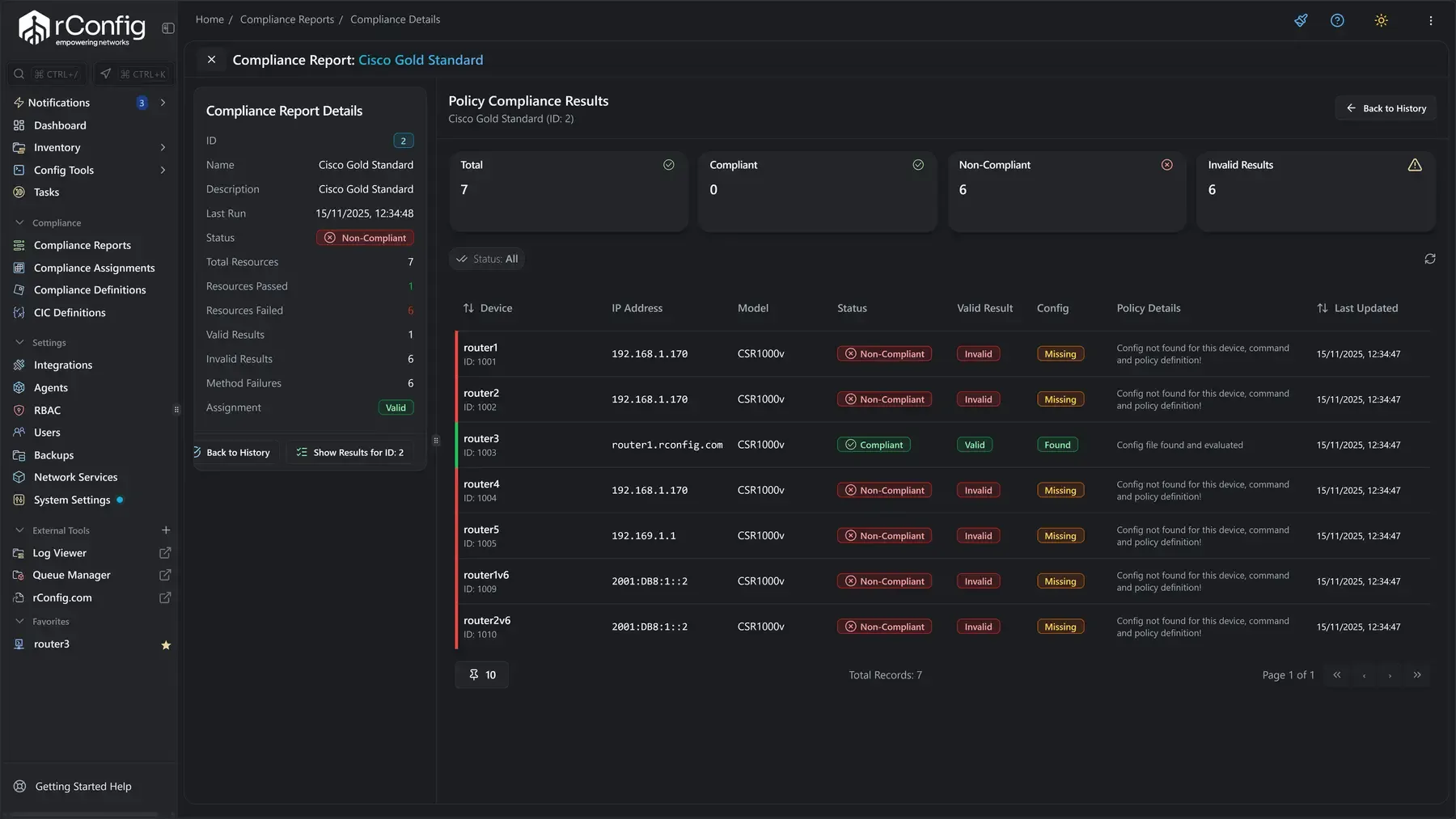
Who replaces Infoblox NetMRI, and why
NetMRI served its users well for years. The teams moving now are usually responding to a lifecycle deadline or an appliance refresh, and taking the opportunity to land on something modern.
Lifecycle forced
The most common trigger is a legacy NetMRI deployment heading towards end of sale or end of life. Once support is on a timer, teams need a maintained destination they can adopt with room to spare.
Appliance limits
An appliance is sized when you buy it. As the estate grows, capacity and refresh cycles become a procurement exercise. Teams switching want software they can scale by allocating resources instead.
Modernisation
Beyond a like-for-like replacement, many teams take the move as a chance to modernise: a self-hosted product with an active roadmap and AI-assisted diagnostics through Vector sitting on top.
rConfig vs Infoblox NetMRI, job for job
The table focuses on the daily work, plus the lifecycle question that prompts most moves. Where a NetMRI specific varies by release or model, we keep it general and point you to Infoblox for the current detail.
Infoblox and NetMRI are trademarks of their respective owner. This comparison is provided for evaluation purposes and describes competitor capabilities in general terms.
- FeatureConfig backupInfoblox NetMRIAutomated collection across the estate, gathered by the NetMRI appliance within its sizing limits.rConfigAutomated multi-vendor backups run by software you host, so capacity is a question of resources rather than the model of box you bought.
- FeatureVersioning and diffingInfoblox NetMRIKeeps configuration history and surfaces changes through the NetMRI interface.rConfigComplete version history with clear line-level diffs on every device, ready to compare any two points in time.
- FeatureSchedulingInfoblox NetMRIRecurring collection and change jobs handled inside the appliance.rConfigScheduled tasks for backups and checks defined per device group, with no appliance throughput cap to design around.
- FeatureTemplatingInfoblox NetMRIStandardised change and policy templates within the NetMRI product.rConfigReusable templates for consistent pushes and audits, versioned next to the configurations they touch.
- FeatureDeployment modelInfoblox NetMRIDelivered as a physical or virtual appliance, with capacity fixed at the point of purchase.rConfigSelf-hosted software on Linux that you scale by allocation, fully auditable because the host and the data are yours.
- FeatureLifecycle and overheadInfoblox NetMRILast Order Date passed 30 April 2025; renewals permitted for existing customers until End of Life on 30 April 2027.1rConfigActively developed, with V8 Core open source and free to self-host and V8 Pro available when you want support and enterprise features.
- FeatureNetwork discoveryInfoblox NetMRINamed among NetMRI's automation and visibility capabilities on Infoblox's own product page.2rConfigNot a network discovery tool. Devices are synced in from a source of truth such as NetBox, Nautobot or Zabbix, or brought in by CSV or API import.
- FeatureSwitch port managementInfoblox NetMRINamed among NetMRI's capabilities on Infoblox's own product page.2rConfigNo dedicated switch port management module. Interface state is visible through SNMP polling, and switchport and VLAN configuration is audited, searched and pushed through compliance policies, config search and templated changes.
- FeatureDevice provisioningInfoblox NetMRINamed among NetMRI's capabilities on Infoblox's own product page.2rConfigNo zero-touch or templated device provisioning as a core, self-service feature. Bringing a new device into rConfig is manual, bulk CSV, API, or through a migration tool.
| Feature | Infoblox NetMRI | rConfig |
|---|---|---|
| Config backup | Automated collection across the estate, gathered by the NetMRI appliance within its sizing limits. | Automated multi-vendor backups run by software you host, so capacity is a question of resources rather than the model of box you bought. |
| Versioning and diffing | Keeps configuration history and surfaces changes through the NetMRI interface. | Complete version history with clear line-level diffs on every device, ready to compare any two points in time. |
| Scheduling | Recurring collection and change jobs handled inside the appliance. | Scheduled tasks for backups and checks defined per device group, with no appliance throughput cap to design around. |
| Templating | Standardised change and policy templates within the NetMRI product. | Reusable templates for consistent pushes and audits, versioned next to the configurations they touch. |
| Deployment model | Delivered as a physical or virtual appliance, with capacity fixed at the point of purchase. | Self-hosted software on Linux that you scale by allocation, fully auditable because the host and the data are yours. |
| Lifecycle and overhead | Last Order Date passed 30 April 2025; renewals permitted for existing customers until End of Life on 30 April 2027.1 | Actively developed, with V8 Core open source and free to self-host and V8 Pro available when you want support and enterprise features. |
| Network discovery | Named among NetMRI's automation and visibility capabilities on Infoblox's own product page.2 | Not a network discovery tool. Devices are synced in from a source of truth such as NetBox, Nautobot or Zabbix, or brought in by CSV or API import. |
| Switch port management | Named among NetMRI's capabilities on Infoblox's own product page.2 | No dedicated switch port management module. Interface state is visible through SNMP polling, and switchport and VLAN configuration is audited, searched and pushed through compliance policies, config search and templated changes. |
| Device provisioning | Named among NetMRI's capabilities on Infoblox's own product page.2 | No zero-touch or templated device provisioning as a core, self-service feature. Bringing a new device into rConfig is manual, bulk CSV, API, or through a migration tool. |
What you gain moving off Infoblox NetMRI
A lifecycle move is also a chance to upgrade the foundations. Tap or hover any tile to explore, or follow the link to the related product or solution page.
Actively developed, not retiring
Instead of inheriting another lifecycle deadline, you land on a product that ships regular releases and has a roadmap you can plan around for years.
See the architectureSoftware, not an appliance
No box to refresh and no fixed capacity. rConfig runs on infrastructure you already operate, so growing the estate is an allocation decision, not a purchase order.
Explore V8 CoreScale by resources you control
Add capacity by giving the host more, not by sizing up to the next appliance tier. The configuration plane grows with the network on your terms.
Compare editionsOne place for a mixed estate
Switches, routers, firewalls, and appliances from many vendors managed together, with diffs and templates that behave consistently across the lot.
Multi-vendor managementDrift detection and audit trail
Catch unplanned changes, compare against a baseline, and keep a record that holds up in a compliance review, the assurance work NetMRI users expect to keep.
Compliance and auditingAI-assisted diagnostics with Vector
Modernise as you migrate. Vector reasons over your configuration ground truth to surface risk and propose remediation, well beyond what a legacy appliance offered.
Meet Vector
Planning around NetMRI end of life
If you have landed here because NetMRI is being retired in your environment, the worst outcome is a last-minute scramble. A deliberate plan keeps your network covered and your history intact.
- 30 April 2025Last Order Date1
- Until 30 April 2027Renewals for existing customers1
- 30 April 2027End of Life1
Last verified 26 September 2026 against the Infoblox Community knowledge base. Read the full NetMRI end of life timeline.
Work back from the real end-of-life date
Renewing keeps an existing NetMRI deployment covered until 30 April 2027, but it does not restore new sales, new features or support beyond that date. Set your own migration deadline against that date, not a guess.Stand up a maintained replacement early
Run rConfig in parallel well before support tails off. Because V8 Core is open source, you can prove the everyday jobs on your own devices without a procurement cycle blocking the trial.Carry your configuration history across
A lifecycle move is the moment history gets lost if you rush. Plan the import so devices and backups land cleanly in rConfig and your record stays continuous from the old system into the new one.
Choosing a NetMRI replacement
Whatever you choose next, the fundamentals NetMRI covered are worth checking for directly rather than assuming a longer feature list means a better fit.
Reliable, multi-vendor backup
Backups that simply run, on schedule, across every vendor in your estate, without a DevOps pipeline to keep them working.
Change detection you can trust
Configuration drift surfaced quickly and clearly, not discovered days later while troubleshooting an outage.
Compliance rules you can maintain
Rule-based checks that are easy to write, update and report on, rather than a coding exercise your team dreads touching.
Templated change, not scripts to babysit
Parameterised templates and straightforward scheduling, so standard changes go out consistently without a bespoke script for every task.
A deployment and scale model that fits
Something that adapts as vendors, device families and compliance requirements change, instead of demanding a rebuild every time your network does.
A migration path for the devices you already have
A clear way to bring your existing device inventory, credentials and backup history across, rather than starting from zero.
NetMRI pricing and what it costs to stay
Last verified 26 September 2026. rConfig's editions below render from the same source /pricing itself uses, so they stay current automatically.
What rConfig publishes
- Core: $0, No device limit
- Starter: $2,999, up to 300 devices
- Standard: $4,499, up to 1,000 devices
- Enterprise / MSP: Custom, beyond 1,000 devices
Prices shown in US dollars (USD). EUR, USD or GBP available on request.
rConfig at scale
rConfig's latest benchmark backs up over 50,000 devices in under 21 minutes, with realistic fault conditions such as unreachable hosts and failed logins included. 4
Do you need a direct NetMRI replacement or a broader assurance platform?
Both are legitimate paths after NetMRI. Which one fits depends on whether you are replacing a configuration management tool or looking to widen into full network assurance.
A direct replacement for NetMRI's config jobs
Config backup, change tracking, compliance and templated change, the jobs NetMRI did day to day, replaced directly by rConfig as a dedicated network configuration management product.
A broader network assurance platform
Infoblox has certified IP Fabric as a NetMRI successor.3 IP Fabric is a network assurance platform, a broader category than NCCM, for teams that want that wider scope rather than a direct configuration management replacement.
Ready to migrate off NetMRI? Pick the guide for your edition
The mechanics of the migration, device mapping, credentials, and the import itself, live in the documentation so they stay current. Choose your edition and the guide takes over from there. For the fuller walkthrough, moving configs, compliance rules and automation workflows without chaos, read how to migrate from NetMRI to rConfig.
NetMRI import for V8 Core
Move your devices into the open-source edition. The guide covers the import end to end so the fleet lands in rConfig with backups ready to run.
- Device mapping, end to end
- Credentials carried into rConfig
- The import itself, step by step
- Backups ready to run on landing
NetMRI import for V8 Pro
On the enterprise edition? The Pro guide walks the same migration with the RBAC, support, and scale features that ship with V8 Pro.
- The same device and credential import
- Role-based access control
- Vendor support
- Built for scale
Compare rConfig with other tools
Evaluating a different platform or migrating from an open-source stack? Follow the guide that matches your current tool.
Infoblox NetMRI alternative: common questions
Evaluation and lifecycle questions teams ask before they switch. For the step-by-step import, follow the edition guides above.
Is rConfig a good Infoblox NetMRI alternative?
For teams that want a modern, actively developed configuration manager they can host themselves, rConfig is a natural successor to NetMRI. It handles the everyday work, scheduled backups, version history, change diffing, templating, and compliance, as software you run on your own Linux estate rather than as a fixed appliance. V8 Core is open source so you can trial it in full before deciding.
What should I do about NetMRI end of life?
NetMRI's Last Order Date passed on 30 April 2025, and its End of Life is 30 April 2027, with renewals available to existing customers in between. The priority is to choose a destination that is actively maintained and to preserve your configuration history on the way across. Evaluate rConfig in parallel so you have a working replacement well before support tails off. The dedicated lifecycle section above, and our full NetMRI end of life guide, cover how to approach the move without a last-minute scramble.
How is rConfig different from a NetMRI appliance?
NetMRI has typically been delivered as an appliance, physical or virtual, with capacity tied to the model you bought. rConfig is software you deploy on infrastructure you already operate, so you scale by giving it resources rather than by procuring a larger box. You also keep full control of where the configuration data lives.
Can rConfig handle the same multi-vendor estate as NetMRI?
Yes. rConfig backs up and manages configurations across a broad set of network vendors and device types, so the mixed estate you manage in NetMRI today is handled from a single place. The multi-vendor configuration management solution page goes into more depth.
Will my configuration history survive the move from NetMRI?
Preserving history is the point of planning the switch properly rather than rushing it. The aim is to bring devices into rConfig and re-establish backups so you have a continuous record going forward. The exact import steps live in the documentation linked in the how-to-switch section, kept separate from this evaluation page so they stay current.
Can I still buy Infoblox NetMRI?
No. NetMRI's Last Order Date passed on 30 April 2025, so no new licences are being sold. Existing customers can still renew, up to the End of Life date of 30 April 2027.
When does NetMRI support end?
NetMRI reaches End of Life on 30 April 2027. Renewals are permitted for existing customers between the Last Order Date of 30 April 2025 and that End of Life date.
How much does NetMRI cost?
Infoblox does not publish a NetMRI list price on its product page. Pricing is handled directly with Infoblox or a partner.
Is there a free NetMRI alternative?
Yes. V8 Core is open source and free to self-host, with no device limit, and it includes the same NetMRI import as V8 Pro. It covers scheduled backups, version history, change diffing and compliance without a licence cost.
Is rConfig a NetMRI replacement or an assurance platform?
rConfig is a direct replacement for the configuration jobs NetMRI did, backup, change tracking, compliance and templated change, as a dedicated network configuration management product. Infoblox has certified IP Fabric as a NetMRI successor for teams that want a broader network assurance platform instead.
Replace Infoblox NetMRI before the deadline, not after it
V8 Core is open source. Run it in parallel with NetMRI, confirm the backups and diffs on your own devices, and switch on your schedule rather than under pressure.
Sources, checked 26 September 2026
- Infoblox Community knowledge base, article 32193 (NetMRI Last Order Date 30 April 2025; renewals permitted for existing customers until End of Life on 30 April 2027)
- Infoblox, NetMRI product page (automation, visibility, continuous insight, device provisioning and security operations; no list price published)
- IP Fabric, Infoblox recommends IP Fabric: preparing for a NetMRI alternative, 24 February 2025
- rConfig homepage FAQ, How fast can rConfig back up large networks (the 50,000 devices in under 21 minutes benchmark)
- rConfig, how rConfig counts devices
- rConfig pricing and editions
Infoblox and NetMRI are trademarks of their respective owners. rConfig is not affiliated with Infoblox. This comparison is provided for evaluation purposes and describes competitor capabilities in general terms.