
White-label customer portal for MSPs
A portal for every customer, with your brand on it.
rConfig Vector Prism gives each customer their own portal. It has your brand on it, and it only shows that customer's devices. Every login uses MFA. It runs on your servers, not ours. Prism is the front office of rConfig Vector, which already runs your network.
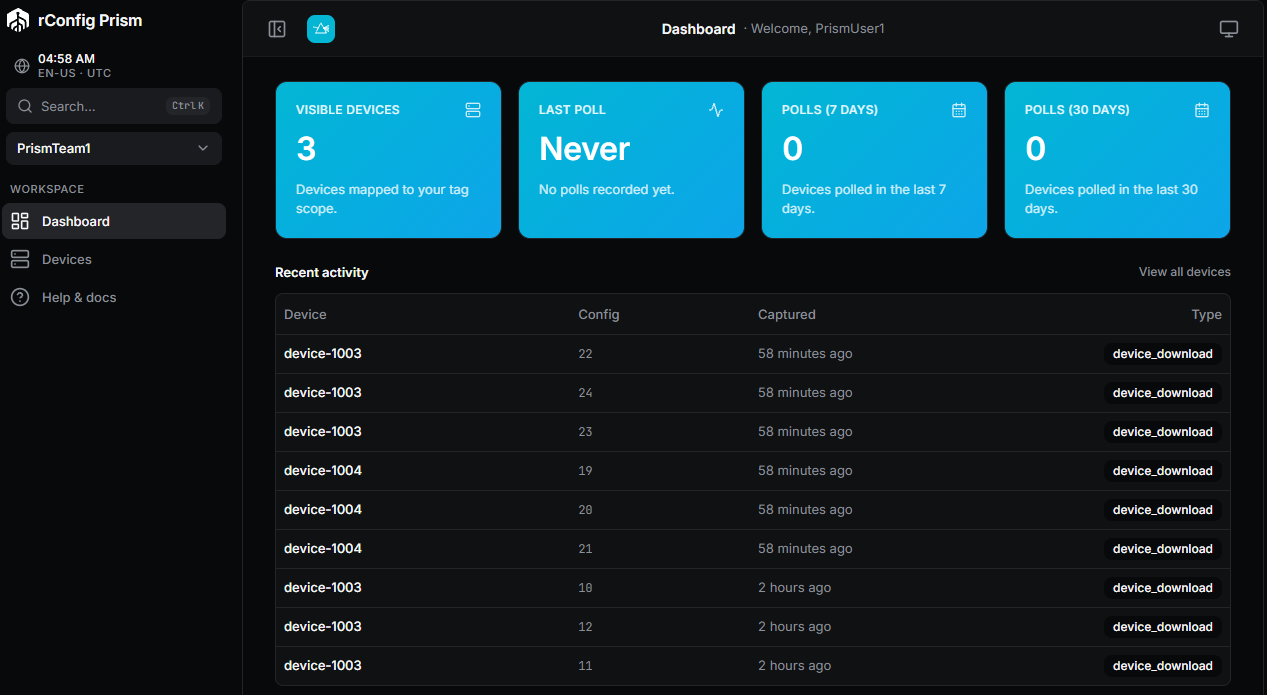
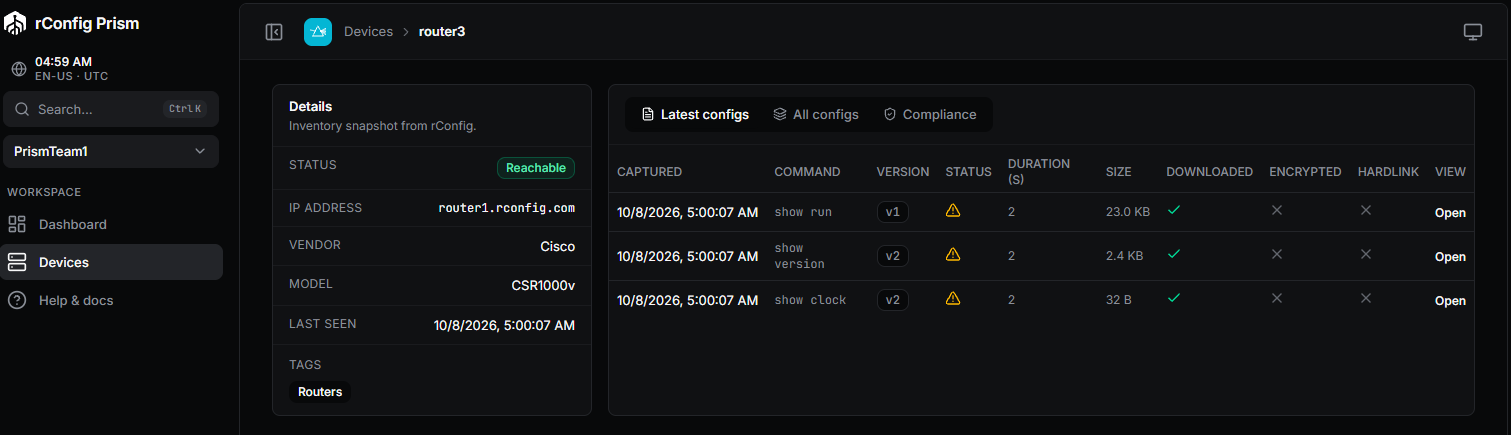
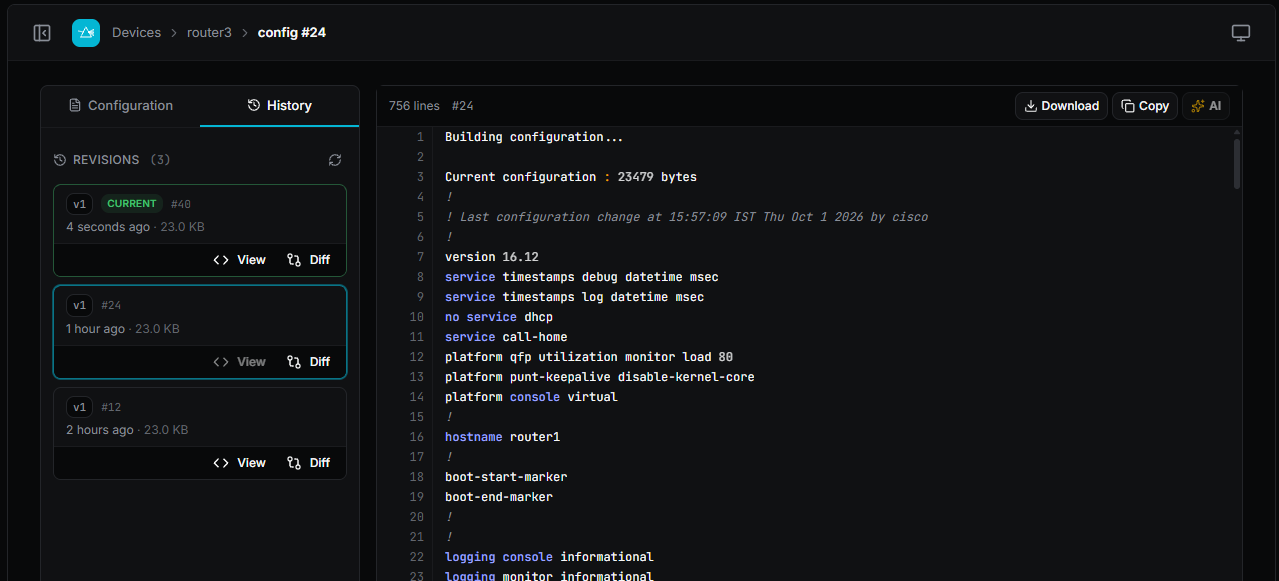
White-label
Your logo, your colours, your favicon, your domain, your support links, your footer.
Multi-tenant
Customers see only devices whose tags are mapped to their account.
On-prem
One binary, one database, one nginx vhost. Runs alongside Vector on your own infrastructure.
There are three ways to do this today, and none of them are good. You can share logins with your customers. You can spend months of an engineer's time building your own portal. Or you can email PDF reports and hope the questions stop.
Each one fails in its own way. Shared logins fall apart when your auditor sees who has access, and one customer can see every other customer's devices. A home-made portal is a project, not a product. It gets old, it collects tickets, and the engineer who built it leaves. PDF reports are out of date in five minutes, and your customers cannot act on them.
What your customers want to see already exists. Tags on devices in Vector already show which devices belong to which customer. Most MSPs already tag devices by customer for billing. Prism turns those tags into a portal your customers can log in to, and you write no portal code.
The short answer
What is a white-label MSP customer portal?
A white-label MSP customer portal is a branded web application that gives an MSP's end customers controlled access to their own data without exposing the MSP's internal tooling. rConfig Vector Prism is the version for network configuration management: tag-scoped, MFA mandatory, on-premise, fully brandable per customer.
Prism does not replace anything in your stack. It completes it. rConfig Vector already runs your network. The rConfig Vector Agent already reaches every customer site. Prism turns the data those two already produce into a portal your customers can log in to, under your brand, on your domain.
Why MSPs put Prism
in front of Vector
Customer self-service without admin access
Every MSP fields the same request: a customer wants to see the running config on their own firewall, or check when a switch was last backed up. Today that means an engineer logs in, exports something and emails it. The request is small, the interruption is not, and it repeats every month for every customer.
rConfig Vector Prism is a white-label, on-premise customer portal that sits in front of rConfig Vector. It gives MSPs and telcos a way to expose tag-scoped network configurations to their end customers, under the MSP's own brand, on the MSP's own domain, without sharing Vector logins or building a portal in-house. End customers can view, diff, search, and download their configurations. They cannot change anything.
WHAT A CUSTOMER CAN DO
- View their own configurations
- Search
- Diff
- Download
- Never hold a Vector login
Tag-scoped tenant isolation, enforced server-side
Giving a customer a login to the tooling is the fast answer and the wrong one. A shared NCM console has one inventory, so a misapplied filter shows one customer another customer's estate. Isolation enforced in the UI is not isolation, and the first auditor to ask for the access list will say so.
Customers see only devices whose tags are mapped to their account. Empty mapping returns an empty result, never the full estate. The scope is double-checked on every request, server-side, before anything renders.
HOW SCOPE RESOLVES
- Each customer is one team
- Every team has an explicit set of tags mapped to it
- The tag filter is applied at the request layer
- Double-checked on every response before anything renders
- Empty mapping resolves to an empty result
White-label branding, per tenant
Customers buy a managed service from you, not a licence from your vendor. A portal that carries someone else's logo, favicon and domain undercuts that in the first second. MSPs serving several end clients need more again, because each of those clients expects to see their own brand and never a neighbour's.
Your logo, your colours, your favicon, your domain, your support links, your footer. Optional per-customer branding overrides for MSPs serving multiple end-clients with their own brands. The instance brand is your fallback for customers who don't need their own.
EVERY SURFACE IS YOURS
- Logo
- Colours
- Favicon
- Custom domain
- Support links and footer
- Email templates
MFA mandatory and read-only by design
External users are the accounts security teams worry about most. An optional MFA setting is a setting somebody will turn off, and a portal that can write back to the source of truth is an attack path rather than a feature. Both need to be decided in the product, not left to whoever runs onboarding that week.
TOTP enrolment is enforced at the route layer. No opt-out, no “we’ll do it later”. Every login, every account. Recovery codes issue on first login; admins can reset 2FA on demand. Prism never writes back to Vector. There is no API surface that mutates source data.
MFA follows the OWASP Multifactor Authentication Cheat SheetSECURE BY DEFAULT
- TOTP enrolment enforced at the route layer
- Recovery codes issue on first login
- Admins can reset 2FA on demand
- Single read-only service-account token to Vector
- Structured audit log with CSV export
How Prism compares
As of April 2026
Verified across SolarWinds, Cisco Prime, ManageEngine, BackBox, Oxidized, RANCID product pages, April 2026.
| Capability | Vector Prism | Shared Vector logins | Custom in-house portal | PDF reports | Generic SaaS portal builder |
|---|---|---|---|---|---|
| True multi-tenant isolation | yes, supported | no, not supported | partial, partially supported | no, not supported | partial, partially supported |
| White-label brand · logo + domain + colours | yes, supported | no, not supported | partial, partially supported | no, not supported | partial, partially supported |
| MFA mandatory, no opt-out | yes, supported | yes, supported | partial, partially supported | no, not supported | partial, partially supported |
| On-premise · no SaaS dependency | yes, supported | yes, supported | partial, partially supported | yes, supported | no, not supported |
| Read-only by design | yes, supported | no, not supported | partial, partially supported | yes, supported | partial, partially supported |
| Tag-based scope · no engineering required | yes, supported | no, not supported | no, not supported | no, not supported | no, not supported |
| Audit log out of the box | yes, supported | partial, partially supported | partial, partially supported | no, not supported | partial, partially supported |
| Maintained by vendor, not you | yes, supported | yes, supported | no, not supported | n/a | yes, supported |
| Time to first customer onboarded | ~1 day | minutes | 1-2 quarters | minutes | weeks |
| Cost predictability | fixed | fixed | open ended | low | per-seat |
Six choices that turn tags
into a customer portal.
Provision a customer in an afternoon
One Prism instance, 40 teams, 40 mapped tag sets. Provisioning a customer is a form, not a project. Done in an afternoon. The engineer who used to dread these requests now closes them in tickets.
Map tags to teams
Each customer is one team. Every team has an explicit set of tags mapped to it. Empty mapping resolves to an empty result, never to the full estate.
Brand every tenant
Per-customer branding overrides the instance brand. Each tenant sees their own logo, colours, and domain, and they never see anyone else’s. The instance brand is your fallback for customers who don’t need their own.
Hand auditors scoped-access proof
The audit log shows exactly who saw which device and when, with IP and user agent. Tag-scope authorisation is double-checked on every request, and the check is itself logged for SOC 2 evidence.
Sell the portal as a paid tier
Prism sits behind your billing. Provision a portal as a value-add SKU, an upsell, or a paid tier. Mapping a customer to a portal is one toggle and a tag set on the back end.
Install next to Vector
Prism ships as a standard Laravel application. Drop it next to Vector, run the installer, and bring up the nginx vhost. Linux only for v1.0. Windows is on the roadmap.
Read the install guide
Where Prism fits

rConfig Vector
The back office. The central manager for customers, policies, jobs and compliance.
Learn more about rConfig VectorVector Agent
The data plane. The collector that runs backups and checks next to your devices.
Learn more about Vector Agent- You are here

Vector Prism
The front office. The white label client portal your customers log in to.
Learn more about Vector Prism
Frequently asked questions
Answers for MSP technical leads, telco product managers, and the security teams who sign off on every external user.
What is rConfig Vector Prism?
rConfig Vector Prism is a white-label, on-premise customer portal that sits in front of rConfig Vector. It gives MSPs and telcos a way to expose tag-scoped network configurations to their end customers, under the MSP's own brand, on the MSP's own domain, without sharing Vector logins or building a portal in-house.
How is Prism different from rConfig Vector?
Vector is the back-office NCM control plane: scheduling, diffs, compliance, RBAC, the API surface. Prism is the front-office layer that customers actually log in to. Vector decides what gets collected; Prism decides who gets to see what. They're separate products on the same stack: one for the MSP's engineers, one for the MSP's customers.
Do I need rConfig Vector to use Prism?
Yes. Prism is a presentation and access layer that resolves data from Vector. It does not collect configurations on its own and does not replace any part of Vector. If you don't already run Vector, talk to the team about a combined Vector + Prism deployment.
Is Prism SaaS or on-premise?
On-premise only. The MSP installs Prism on their own host, usually next to Vector or on a dedicated VM. There is no rConfig-hosted SaaS option. No customer data leaves the MSP's perimeter, and Prism does not phone home.
How does white-label branding work?
Every visible surface is themable: logo, colours, favicon, custom domain, support links, footer, and email templates. Branding is delivered through CSS custom properties and a small admin UI, so changes apply instantly without a rebuild. The MSP can also toggle the 'powered by rConfig' footer on or off, subject to license tier.
Can each customer have their own brand?
Yes. The instance has a default brand for any customer who doesn't need their own. On top of that, per-customer branding can override the instance brand. An MSP serving multiple end-clients with their own logos and domains can give each one a fully bespoke portal experience.
How does Prism enforce multi-tenant isolation?
Each customer is a team. Each team has an explicit set of Vector tags mapped to it. Every request from a logged-in user is filtered by the team's tag scope at the API layer, and the resolved scope is double-checked server-side before any device or configuration data is rendered. An empty tag mapping resolves to an empty result, never to the full estate.
What about MFA? Is it optional?
No. TOTP MFA is mandatory at the route layer. Every account, every login. New users are forced through TOTP enrolment on first login, recovery codes are issued at that point, and admins can reset 2FA on demand. There is no instance-level setting to disable MFA, by design.
Can my customers change configs through Prism?
No. Prism is read-only by design. End customers can view, search, diff, and download their configurations, but there is no API surface in Prism that mutates Vector data. Configuration changes still happen the way they always have, through Vector itself, run by your engineers.
Which Laravel and PHP versions does Prism need?
Prism is built on Laravel 13 with Vue 3 and Inertia. It targets PHP 8.3+ and runs on the standard LEMP stack: nginx, PHP-FPM, MariaDB or MySQL 8, Redis for queues. The reference deployment uses 4 vCPU, 8 GB RAM, and a single MariaDB schema.
How are credentials and the rConfig API token secured?
Prism authenticates to Vector with a single read-only service-account token stored in the local .env. The token never leaves the Prism host, and Prism never asks customers for Vector credentials. Customers only ever have Prism credentials. End-customer passwords are hashed with Bcrypt; TOTP secrets and recovery codes are encrypted at rest with the Laravel APP_KEY.
Is there a free tier?
No. Prism is part of the rConfig MSP and Telco license tier alongside Vector. Pricing depends on customer count and branding requirements (instance brand only vs per-customer brand overrides). See the pricing page or speak to the team for a quote that matches your customer base.
Give every customer their own branded portal, without rebuilding your stack.
rConfig Vector Prism is the white-label front office for MSPs already running rConfig Vector. Tag-scoped, MFA-mandatory, on-premise. Installed in an afternoon, branded in a morning.