
Automate & Scale Network Configurations
Say goodbye to repetitive manual updates. rConfig delivers secure, auditable configuration changes across thousands of multi-vendor devices, script-free, policy-aligned, and built for scale.
















Bulk Deployment Core Features
Powerful, secure, and scalable configuration deployment for multi-vendor networks, designed for MSPs, enterprises, and cloud-native infrastructure.
Full Automation
Push configuration updates without manual CLI sessions or brittle scripts. Standardize changes across your entire infrastructure.
Multi-Vendor Support
Works across Cisco, Fortinet, Juniper, Palo Alto, and more, including hybrid cloud and edge environments.
Compliance Ready
Every deployment is logged for ISO 27001, NIST-800, and GDPR-aligned governance. Audit trails are generated automatically.
Rollback Control
Restore previous versions quickly using built-in version history and rollback tooling if a change doesn't go as planned.
Explore rConfig’s Core Bulk Deployment Capabilities
From targeting the right devices to validating outcomes, rConfig makes large-scale configuration deployment simple, safe, and audit-ready.
Intelligent Device Targeting
Bulk deployment is only as good as its scope. rConfig allows you to use dynamic filters to select devices by vendor, site, role, OS version, or custom tags. Create smart groups that auto-update as you onboard new devices (e.g., “All Cisco Core Switches”). This ensures your bulk changes hit exactly the right targets, no more, no less.
Parameterized Templates
Build once, deploy everywhere. Use snippets and variables to parameterize your configurations for different sites or customers. Whether it’s updating NTP servers, pushing a new VLAN, or rotating SNMP strings, templates ensure consistency while respecting local variances.
Device Grouping & Selection
Config Templates & Snippets
Automated Rollbacks
Approval Workflows
Bulk deployment in rConfig is always scoped and deliberate. Mandatory validation steps and optional approval gates prevent “fat finger” errors from propagating across the network.
How rConfig Bulk Deployment Works
A clear workflow from scoping devices to auditing the final change.
Select Targets
Choose devices from inventory or dynamic smart groups based on vendor, site, tags, or role.Define Templates
Use pre-built templates or paste commands; parameterize for different customers/sites if needed.Schedule Deployment
Run immediately or schedule during maintenance windows, with optional multi-stage approvals.Execute & Validate
rConfig runs the commands, captures output logs, and validates success/failure for every node.Audit & Rollback
Review logs, compare before/after configs, and restore previous versions in a click if needed.
Real-World Use Cases
See how organizations leverage rConfig for scale.
Managed Service Providers (MSPs)
For MSPsCentralised updates across dozens of customer networks. Deploy standardized security policies to 50 distinct clients in one operation, with consistent templates and approval flows.
Large Enterprises
For EnterprisesOrchestrate changes to core infrastructure. Schedule VLAN updates or ACL modifications during maintenance windows with full visibility and automated validation.
Government & Finance
For ComplianceStrict change control. Maintain ISO/NIST compliance with multi-stage approvals, immutable version history, and audit-ready logs for every bulk command executed.
Frequently Asked Questions
How does rConfig handle multi-vendor bulk deployments?
rConfig abstracts the complexity of different command syntaxes using templates and snippets. You can target a mixed group of Cisco, Juniper, and Fortinet devices, and apply the relevant commands to each subset, or use rConfig's ability to send specific raw commands to specific vendor groups.
What happens if a bulk deployment fails?
rConfig captures the output of every session. If a device fails to connect or rejects a command, it is flagged in the deployment report. While there is no automatic 'instant revert' during the same run, rConfig's version control allows you to quickly identify the change and deploy the previous known-good configuration.
Can I automate configuration rollbacks?
Yes, you can automate rollbacks by selecting a previous configuration version from the history and scheduling it as a new deployment task. This simplifies restoring service after a bad change.
Is rConfig compliant with ISO, NIST, and GDPR standards?
rConfig provides the tooling to support these frameworks. Features like detailed audit logs, user activity tracking, approval workflows, and configuration retention policies are designed to help you meet ISO 27001, NIST-800, and GDPR requirements.
Can I review and approve changes before they’re deployed?
Absolutely. You can configure approval workflows that require a designated admin or manager to review the scheduled task and targets before execution begins.
Does rConfig offer version control for configuration changes?
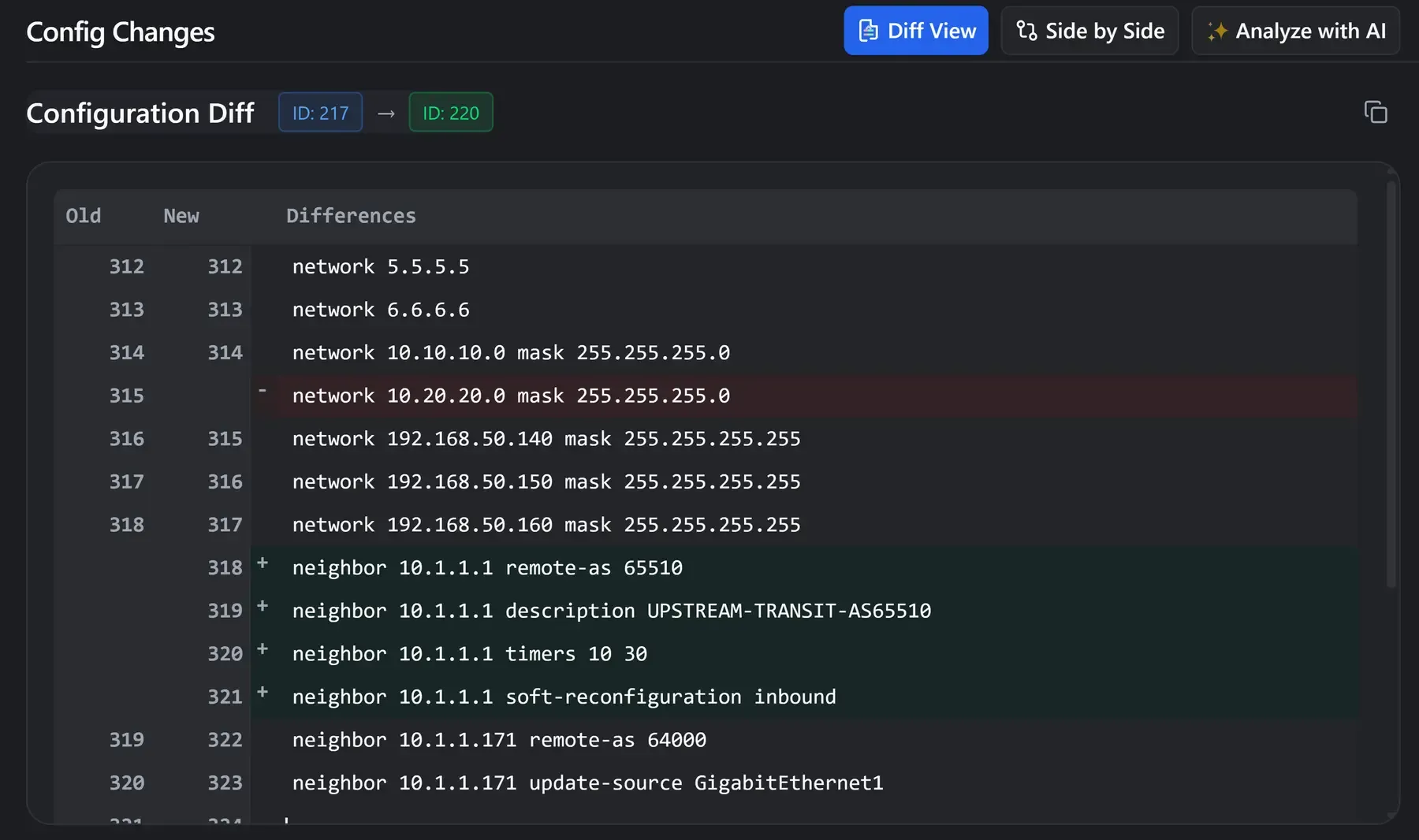
Yes, every time rConfig downloads a configuration, it detects changes and stores a new version. You can compare versions side-by-side to see exactly what changed over time.
Automate Configuration Deployment at Scale
Automate bulk configuration updates, enforce policy standards, and keep every change audit-ready, across any vendor and environment.
Trusted by global IT teams and network managers.