
A Kiwi CatTools Alternative for Networks That Outgrew It
Kiwi CatTools does a specific job well. It backs up device configurations, detects changes, pushes bulk commands over Telnet or SSH, and schedules the lot from one Windows box. For a small estate run by one or two engineers, that is often enough.
The trouble starts when the estate stops being small. More devices than one server should carry. A second engineer who needs their own login. An auditor asking for compliance evidence rather than a folder of text files. A firmware upgrade cycle done by hand. rConfig is built for the other side of that line, and this page sets out the difference using SolarWinds' own published comparison as the reference.
Compare rConfig and Kiwi CatTools
Self-hosted on Linux · Multi-user · Free Core edition · Sources dated
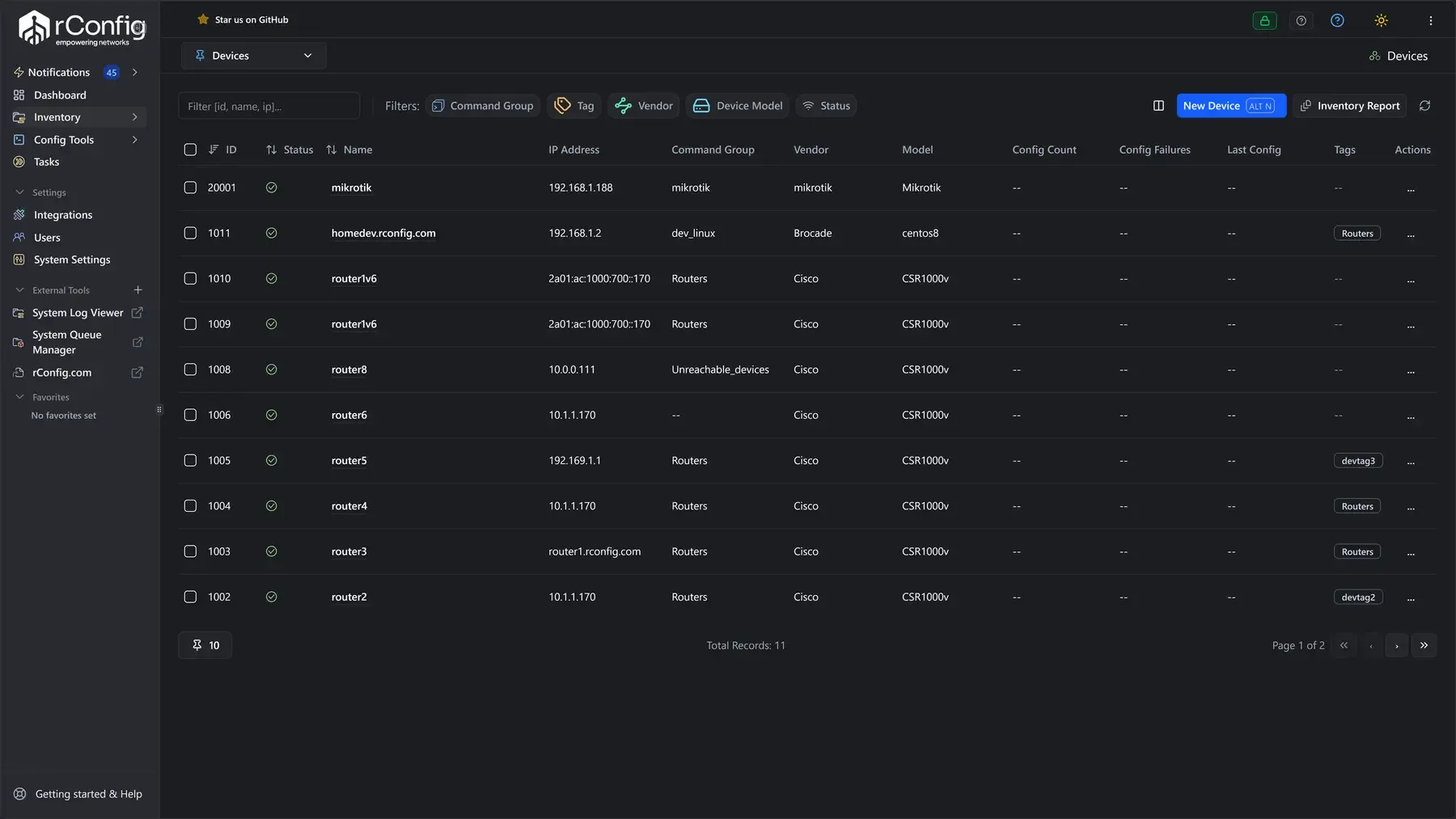
When rConfig Is the Better Fit
You are probably past what Kiwi CatTools was designed for if any of these are true:
Multi-user access needed
More than one engineer needs to work in the tool at once, with their own login and their own permissions.
Compliance evidence on demand
You need compliance evidence on demand, mapped to a standard, rather than a diff you run by hand.
Firmware upgrades outside the tool
Firmware upgrades are part of the job and you are currently doing them outside the tool.
Device count outgrowing one host
Your device count is growing and a single Windows host is becoming the thing you worry about.
Linux, in your own infrastructure
You want configuration management on Linux, in your own infrastructure, beside the rest of your stack.
Change review and approval
You need a change reviewed and approved before it reaches a production device.
rConfig vs Kiwi CatTools
Sixteen capabilities from SolarWinds' own published comparison, then three product facts about where each tool runs and how it is licensed.
- CapabilityConfiguration backupKiwi CatToolsYesrConfigYes. See network configuration backup.
- CapabilityConfiguration change detectionKiwi CatToolsYesrConfigYes
- CapabilityConfiguration change and deploymentKiwi CatToolsYesrConfigYes
- CapabilityTask schedulingKiwi CatToolsYesrConfigYes
- CapabilityAlertingKiwi CatToolsYesrConfigYes
- CapabilityReportingKiwi CatToolsYesrConfigYes
- CapabilityDevice discoveryKiwi CatToolsNot includedrConfigYes
- CapabilityDevice inventoryKiwi CatToolsNot includedrConfigYes
- CapabilityMulti-user access with rolesKiwi CatToolsNot includedrConfigYes
- CapabilityDistributed, multi-user consoleKiwi CatToolsNot includedrConfigYes
- CapabilityChange review and approvalKiwi CatToolsNot includedrConfigYes
- CapabilityCompliance auditingKiwi CatToolsNot includedrConfigYes. See compliance and security auditing.
- CapabilityVulnerability assessmentKiwi CatToolsNot includedrConfigYes
- CapabilityFirmware upgradesKiwi CatToolsNot includedrConfigYes. See firmware management.
- CapabilityEnd of life device managementKiwi CatToolsNot includedrConfigYes
- CapabilityIntegrations and APIKiwi CatToolsNot includedrConfigYes
| Capability | Kiwi CatTools | rConfig |
|---|---|---|
| Configuration backup | Yes | Yes. See network configuration backup. |
| Configuration change detection | Yes | Yes |
| Configuration change and deployment | Yes | Yes |
| Task scheduling | Yes | Yes |
| Alerting | Yes | Yes |
| Reporting | Yes | Yes |
| Device discovery | Not included | Yes |
| Device inventory | Not included | Yes |
| Multi-user access with roles | Not included | Yes |
| Distributed, multi-user console | Not included | Yes |
| Change review and approval | Not included | Yes |
| Compliance auditing | Not included | Yes. See compliance and security auditing. |
| Vulnerability assessment | Not included | Yes |
| Firmware upgrades | Not included | Yes. See firmware management. |
| End of life device management | Not included | Yes |
| Integrations and API | Not included | Yes |
Product facts, not from the SolarWinds table
Every "not included" above is SolarWinds' own wording, taken from their published Kiwi CatTools versus Network Configuration Manager comparison and checked on 13 September 2026. None of these gaps are ours to claim. The last three rows are product facts and are not from the SolarWinds table. SolarWinds, Kiwi CatTools and Network Configuration Manager are trademarks of their respective owner.
- CapabilityHost operating systemKiwi CatToolsWindows serverrConfigLinux, self-hosted
- CapabilityScriptingKiwi CatToolsVBScriptrConfigScripting and REST API
- CapabilityLicensingKiwi CatToolsPerpetual seat licence plus maintenancerConfigPublished annual subscription, free tier with no device limit
| Capability | Kiwi CatTools | rConfig |
|---|---|---|
| Host operating system | Windows server | Linux, self-hosted |
| Scripting | VBScript | Scripting and REST API |
| Licensing | Perpetual seat licence plus maintenance | Published annual subscription, free tier with no device limit |
What Kiwi CatTools Does Well
Worth saying plainly, because it is why so many networks still run it:
Cheap and simple to start
It is cheap to get started and the licence is simple to understand.
Reliable backups and change detection
Scheduled backups and change detection work, and have done for years.
Built-in TFTP server
The built-in TFTP server saves you standing one up.
Bulk command execution
Bulk command execution across a device list is genuinely useful.
Actively developed, not end of life
It is still actively developed. The current line is Kiwi CatTools NG 2026.2.1, with documentation updated in June 2026. Anyone telling you it is end of life is wrong.
Kiwi CatTools vs SolarWinds NCM, and Where rConfig Sits
SolarWinds' own answer to outgrowing Kiwi CatTools is to move you up to Network Configuration Manager. Their comparison page describes CatTools as providing "the essential basics" and recommends NCM as operational requirements become more defined.
That is a reasonable recommendation if you want to be inside the SolarWinds platform. NCM is node licensed, runs on Windows, and sits within the wider monitoring suite.
rConfig is the third option: a dedicated configuration management platform, self-hosted on Linux, with published pricing and no monitoring suite attached. If you are leaving Kiwi CatTools because the single Windows host is the constraint, moving to another Windows product inside a larger suite may not be the change you are after.
For that head-to-head, read rConfig compared with SolarWinds Network Configuration Manager.
A Free Alternative to Kiwi CatTools
Kiwi CatTools ships a fully functional 14 day trial, after which it drops to a limited free edition. SolarWinds does not publish what the limits are on the current NG line, so check before you build anything on it.
What rConfig Core includes
rConfig Core is free and has no device limit. It covers configuration backup, search, comparison and change tracking, with community support. If what you need is scheduled backups and the ability to see what changed, Core does that at any device count without a licence conversation.
What sits on the paid tiers
What Core does not include is the set of things that usually cause the move in the first place: restore and deploy, policy checks, compliance reporting and automation. Those sit on the paid tiers, and the pricing is published rather than quoted.
Licensing and Cost
Kiwi CatTools
SolarWinds does not publish a list price for Kiwi CatTools. The product page shows "Starts at" with no figure and sends you to a quote form. Third party listings give a sense of it: TrustRadius shows 852 USD as a one time, per instance perpetual price, and channel partners such as CDW and SHI resell a Full Install Licence for one seat bundled with twelve months of maintenance. Those are third party figures checked on 13 September 2026, not a SolarWinds quote.
rConfig publishes its pricing:
- Core
free, no device limit
- Starter
2,999 USD a year, up to 300 devices
- Standard
4,499 USD a year, up to 1,000 devices
- Enterprise and MSP
per device, above 1,000 devices
Device bands follow how rConfig counts devices.
Published pricing lets you work out what the next two years will cost, without booking a call.
Prices in euro and sterling are on the pricing page.
Moving from Kiwi CatTools in Stages
You do not need a cutover weekend.
Stand up rConfig alongside Kiwi CatTools
Stand rConfig up alongside Kiwi CatTools. It is a Linux install, so it does not touch the existing Windows host.
Import devices, back up in parallel
Import the device list and credentials, and start backing up in parallel. Leave CatTools running.
Compare a fortnight of captures
Compare a fortnight of captures from both. Confirm rConfig is pulling clean configurations off every device type in your estate.
Move scheduled activities across
Move the scheduled activities across one at a time, starting with backups and finishing with anything that pushes changes.
Retire the CatTools host
Turn off the CatTools schedules, keep the host for a month as a fallback, then retire it.
Book a walkthrough
Most of the risk in a migration like this is device coverage, so stage 3 is the one that matters. Take the fortnight.
Every capture rConfig takes during the parallel run is kept as a version, so configuration versioning and rollback is in place before CatTools is switched off. Teams leaving a script-based collector follow the same staged plan; see the RANCID alternative page for that path.
Talk to our team
Kiwi CatTools Alternative FAQs
Is Kiwi CatTools still supported?
Yes. The current line is Kiwi CatTools NG 2026.2.1, with documentation updated in June 2026. The older 3.x branch, up to 3.12.7, is the legacy line. It is an actively maintained product, not an abandoned one.
What is the difference between Kiwi CatTools and SolarWinds NCM?
By SolarWinds' own comparison, NCM adds device discovery, device inventory, multi-user access, change review and approval, compliance auditing, vulnerability assessment, firmware upgrades and integrations. Kiwi CatTools covers backup, change detection, change deployment, scheduling, alerting and reporting.
Is there a free alternative to Kiwi CatTools?
rConfig Core is free with no device limit and covers backup, search, comparison and change tracking. Kiwi CatTools has a limited free edition after its 14 day trial, but SolarWinds does not publish the limits for the current NG line.
Does rConfig run on Linux?
Yes, rConfig is self-hosted on Linux. Kiwi CatTools installs on a Windows server.
How much does Kiwi CatTools cost?
SolarWinds does not publish a list price. Third party listings put it at roughly 852 USD as a one time perpetual price per instance, with annual maintenance sold through channel partners. Confirm directly with SolarWinds or a reseller.
Can I bring my Kiwi CatTools device list and scheduled tasks across?
Device lists and credentials import cleanly. Scheduled activities are rebuilt in rConfig rather than imported, because the task model is different. For a typical estate that is an afternoon of work.
Test rConfig next to Kiwi CatTools
rConfig Core is free with no device limit. Run it alongside CatTools on the same devices, compare the backups and the change history, and move in stages when you are ready.