
Preview
SSH to any device, straight from rConfig
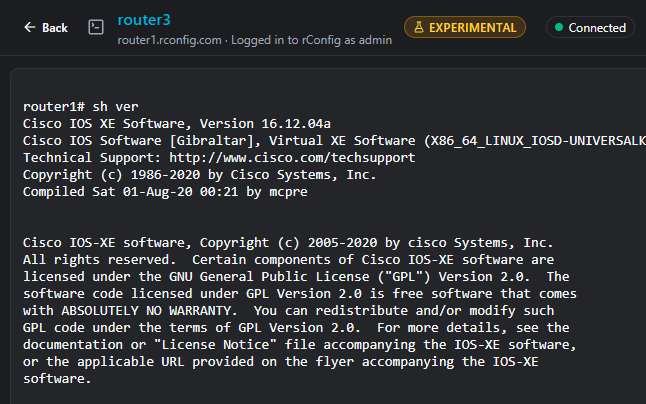
Open a terminal from the device page and land in a session that's already logged in. Credentials stay on your rConfig server. Sessions stay on your network.
- Preview from 8.4.2
- Off by default
- SSH devices
- Sessions logged
Preview notice
The Web Terminal is a Preview, available from rConfig 8.4.2. It hasn't finished security testing, it may change or be withdrawn, and it may never be generally released. It's off by default and switched on per installation.
Read the engineer guideRead the docsBrowser, your rConfig server, device
Browser
Your browser connects to rConfig over HTTPS, using the address and certificate you already have.
Your rConfig server
A terminal service on the rConfig server, listening only on the server itself, opens SSH to the device using its stored credentials.
Device
Nothing passes through rConfig the company. No new ports on your network.
What the Preview does
One-click login
Open a session from any SSH device's page.
Credentials stay server-side
Device passwords are never sent to the browser.
Built for network CLIs
Native text selection, copy and paste, find, and colour themes that follow your rConfig light or dark mode.
Multi-line paste check
Pasting more than one line asks you to confirm the line count and device first.
Controlled access
A dedicated permission, per-user and total session limits, idle timeout and maximum session length.
Session logging
Who connected, to which device, when and for how long, recorded on your own server.
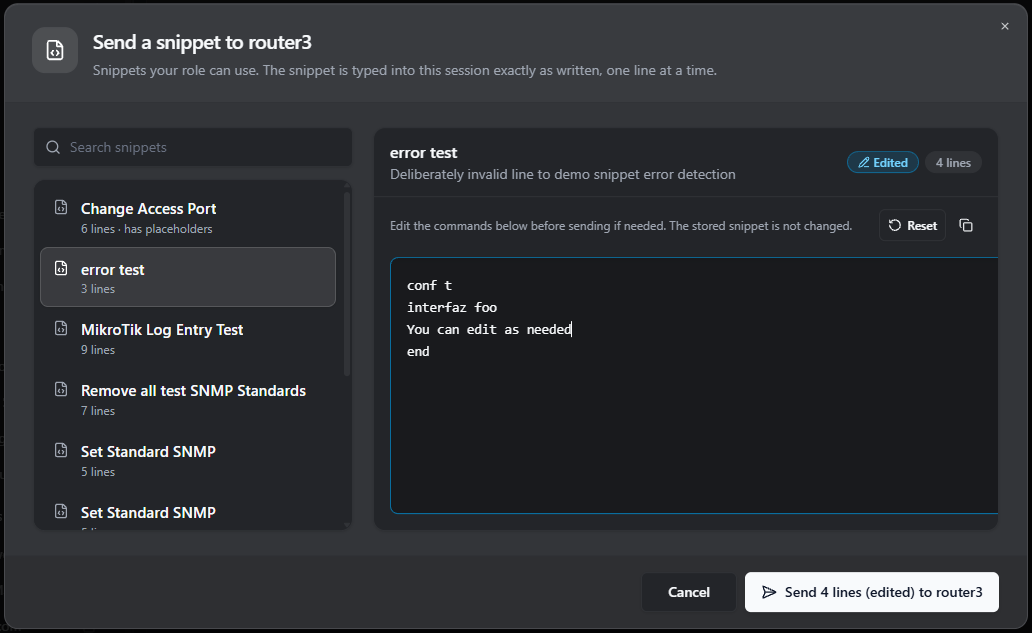
Send a snippet to the session
Pick a snippet your role can use, edit the commands if you need to, then send it to the session. It is typed in exactly as written, one line at a time.
In the dialog
- Search the snippets your role can use
- Edit before sending, and the stored snippet is not changed
- See the line count before you send
Built to be switched off
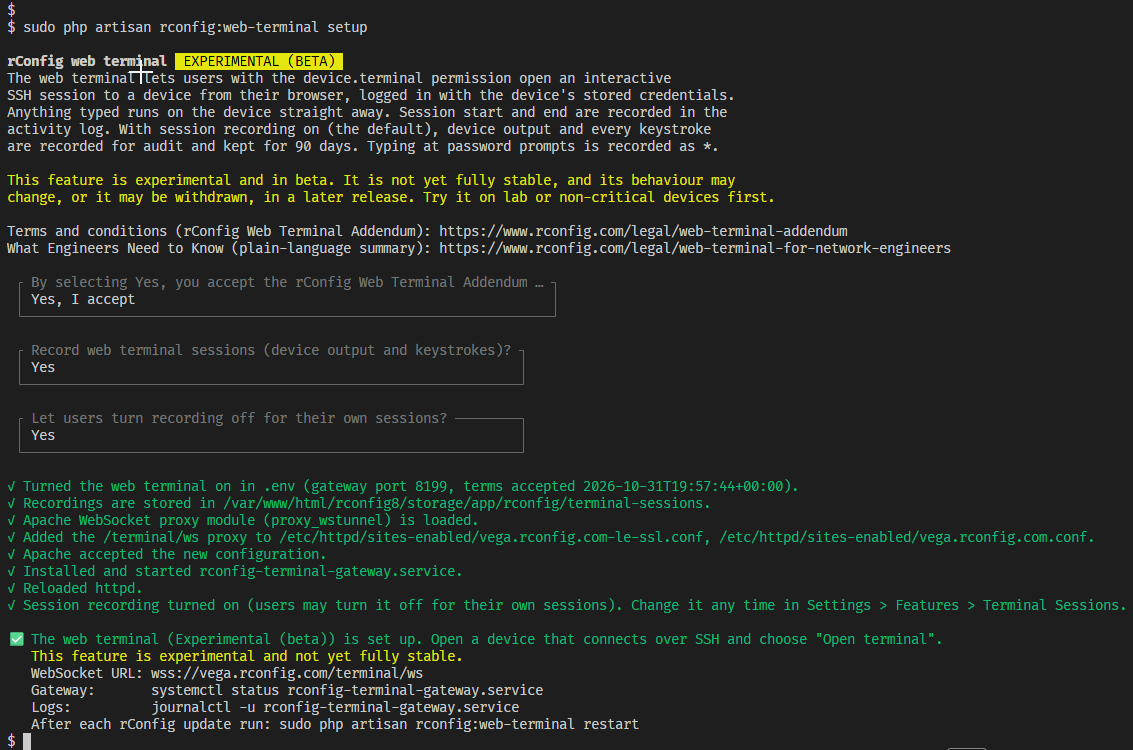
Off until you turn it on
The feature ships disabled. A single setting turns it on or off for the whole installation, and only users given the permission see the Open terminal button.
In practice
- Disabled by default
- One setting for the whole installation
- Only users with the permission see the button
Who it suits
NOC engineers
Quick access to a device during an incident, from the page you are already on.
One place for configs and CLI
For teams that want device configurations and a command line in the same tool.
MSPs
For estates where the rConfig server already has the reach.Sessions through Vector Agents aren't supported in this Preview.
Frequently asked questions
Plain answers about the Preview.
Is it secure to use in production?
It's a Preview and hasn't finished security testing. We recommend trying it in a lab or on non-production devices first, and following the Preview terms.
Does rConfig see my sessions or credentials?
No. Sessions run between your browser, your rConfig server and your device only.
Does it record what I type?
Not in this Preview. It logs session start and end. Use your device-side logging and AAA accounting as your audit trail.
Do I need to open new ports?
No. It uses your existing HTTPS address. If a proxy or load balancer sits in front of rConfig, it needs to allow WebSocket connections.
Which editions get it?
The Web Terminal is a Preview from rConfig 8.4.2. Edition availability will be confirmed in the release notes for each Preview version.
Will it become a full feature?
We don't know yet. Preview feedback decides that.
Want to try the Web Terminal Preview?
Or read the engineer guide.