
The BackBox Alternative for Network Configuration Management
Yes: rConfig is a like-for-like alternative to BackBox, now sold as the Kilter Platform, for multi-vendor configuration backup, restore, change tracking, compliance and automation.
The difference is what each vendor will tell you before you talk to sales. BackBox publishes no prices anywhere on backbox.com; rConfig publishes four editions, starting with a free, open-source Core with no device limit.
rConfig also runs entirely on infrastructure you control, and its scale is benchmarked in public rather than asserted in a data sheet.
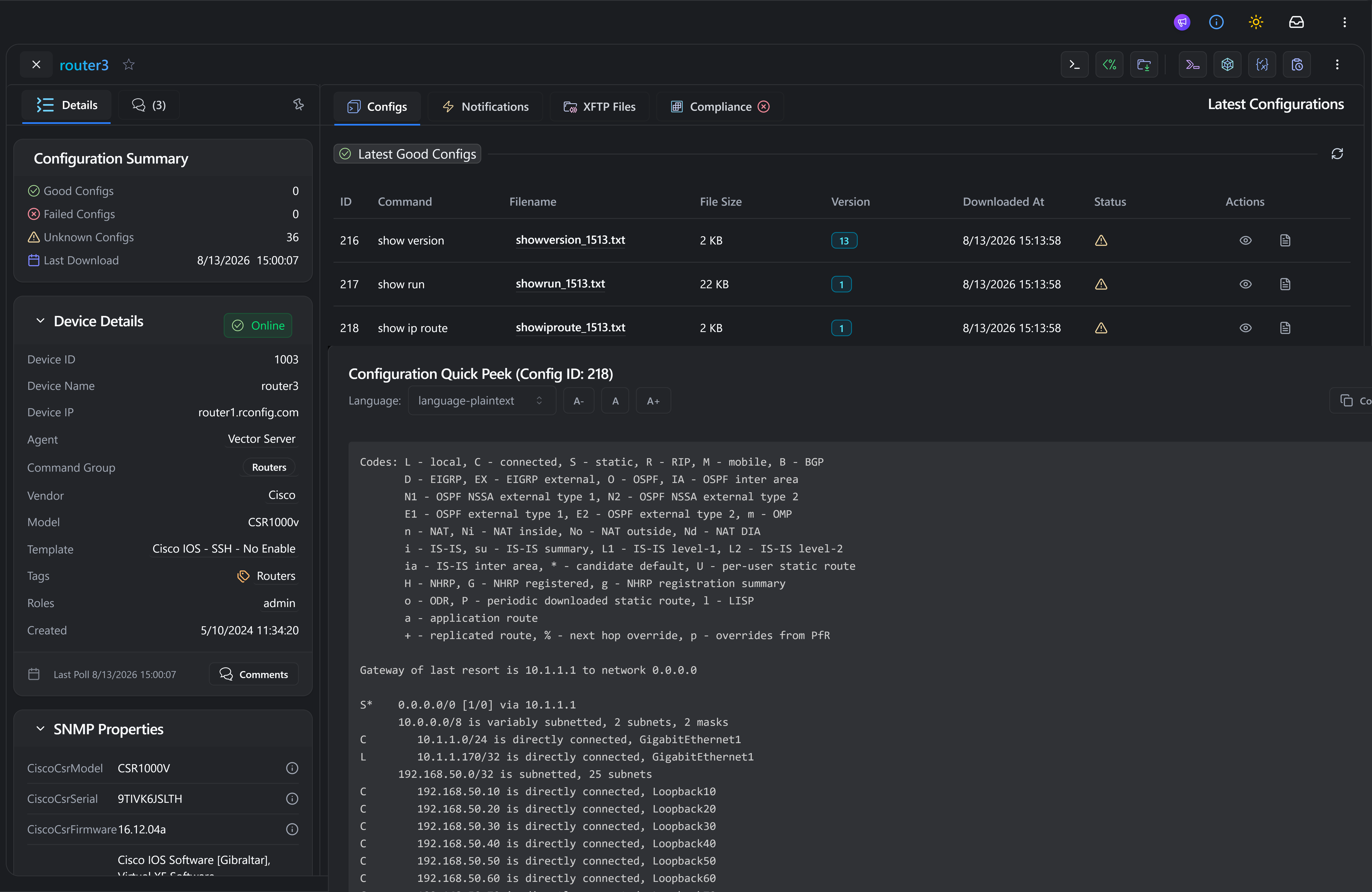
Who replaces BackBox, and why
BackBox and rConfig compete for the same buyer and the same job: multi-vendor configuration backup, restore, compliance and automation. The teams moving are usually settling one of three questions first.
Price you can plan around
BackBox publishes no prices on backbox.com; every path leads to “Request a Live Demo” or “Contact Us”. rConfig's editions and their prices are on this page and on the pricing page below.
Scale you can check yourself
rConfig's device-count evidence is public, with the method behind it published rather than asserted. Model your own estate before you commit to either vendor.
Reach beyond the rack
BackBox's supported-devices page is built around network and security vendors. rConfig also backs up SCADA, PLCs and other specialised OT equipment over SSH, Telnet, API or a custom script.
rConfig vs BackBox Kilter, job for job
BackBox and rConfig are trademarks of their respective owners. rConfig is not affiliated with BackBox. BackBox details below are taken from backbox.com on 25 September 2026 and may change; where BackBox publishes nothing on a point, the cell says so rather than claiming BackBox lacks the capability.
- FeatureProductBackBox KilterKilter Platform: ALM, Enterprise and AI editions, launched under the Kilter name 14 September 2026.rConfigCore, Starter, Standard and Enterprise/MSP editions, plus Vector for distributed and MSP estates.
- FeatureLicenceBackBox KilterCommercial, closed source. Subscription priced by devices managed and features selected.rConfigCore is free and open source with no device limit. Commercial editions are priced by device band.
- FeaturePublished pricingBackBox KilterNone on backbox.com. Every call to action is “Request a Live Demo” or “Contact Us”.rConfigYes, shown on this page and on the pricing page below.
- FeatureFree editionBackBox KilterNot published.rConfigCore, free and open source, no device limit.
- FeatureDeploymentBackBox KilterSelf-hosted, on your own infrastructure.rConfigSelf-hosted on Linux, in containers, or air-gapped, available in every edition.
- FeatureDistributed collectionBackBox Kilter“Distributed Architecture Supporting ZTNA.”rConfigVector Agent: a single Go binary, outbound-only TLS, no inbound firewall rules and no site-to-site VPN, up to roughly 1,000 devices per agent.
- FeatureHigh availabilityBackBox KilterA paid add-on, listed as available on every edition.rConfigIncluded in Enterprise, no separate add-on.
- FeatureMulti-tenancy and MSPBackBox Kilter“Secure Multi-Tenancy” and role-based access control.rConfigHierarchical RBAC plus Vector Prism, a branded customer portal with mandatory MFA.
- FeatureVendor coverageBackBox KilterOver 180 vendors, per BackBox’s own figures.rConfigCisco, Juniper, Arista, Fortinet, Palo Alto, Huawei, Nokia, MikroTik, HPE, Aruba and 200 more.
- FeatureOT, ICS and IoTBackBox KilterNot listed on BackBox’s supported-devices page, which is built around network and security vendors.rConfigSCADA, PLCs and other specialised OT equipment, backed up over SSH, Telnet, REST API, TL1, xFTP or a custom script.
- FeatureBackup, restore, diffBackBox KilterBackup, 1-click restore, 5-step verification backup, backup comparison.rConfigScheduled backups, line-level diffs, one-click restore of a previous configuration, real-time change alerts.
- FeatureComplianceBackBox KilterCompliance monitoring and automated remediation, from Kilter Enterprise upward.rConfigPolicy checks across the fleet in every paid edition, with scheduled checks and exportable evidence from Standard upward.
- FeatureOS and firmwareBackBox Kilter“Automated OS & Firmware Upgrades.”rConfigScheduled firmware push, on the same task engine as configuration changes.
- FeatureAIBackBox KilterKilter AI edition: CVE intelligence, workaround chains, an automation-creation assistant. AI-generated automations need admin approval before they run.rConfigBring your own provider or run a local model so nothing leaves your network. Every AI request is logged.
- FeaturePublic scale evidenceBackBox Kilter“100,000+ networks automated”, “500+ global customers.” No per-server device figure published.rConfigBacks up over 50,000 devices in under 21 minutes on rConfig’s latest benchmark, with a reference architecture built out past 100,000 nodes.
| Feature | BackBox Kilter | rConfig |
|---|---|---|
| Product | Kilter Platform: ALM, Enterprise and AI editions, launched under the Kilter name 14 September 2026. | Core, Starter, Standard and Enterprise/MSP editions, plus Vector for distributed and MSP estates. |
| Licence | Commercial, closed source. Subscription priced by devices managed and features selected. | Core is free and open source with no device limit. Commercial editions are priced by device band. |
| Published pricing | None on backbox.com. Every call to action is “Request a Live Demo” or “Contact Us”. | Yes, shown on this page and on the pricing page below. |
| Free edition | Not published. | Core, free and open source, no device limit. |
| Deployment | Self-hosted, on your own infrastructure. | Self-hosted on Linux, in containers, or air-gapped, available in every edition. |
| Distributed collection | “Distributed Architecture Supporting ZTNA.” | Vector Agent: a single Go binary, outbound-only TLS, no inbound firewall rules and no site-to-site VPN, up to roughly 1,000 devices per agent. |
| High availability | A paid add-on, listed as available on every edition. | Included in Enterprise, no separate add-on. |
| Multi-tenancy and MSP | “Secure Multi-Tenancy” and role-based access control. | Hierarchical RBAC plus Vector Prism, a branded customer portal with mandatory MFA. |
| Vendor coverage | Over 180 vendors, per BackBox’s own figures. | Cisco, Juniper, Arista, Fortinet, Palo Alto, Huawei, Nokia, MikroTik, HPE, Aruba and 200 more. |
| OT, ICS and IoT | Not listed on BackBox’s supported-devices page, which is built around network and security vendors. | SCADA, PLCs and other specialised OT equipment, backed up over SSH, Telnet, REST API, TL1, xFTP or a custom script. |
| Backup, restore, diff | Backup, 1-click restore, 5-step verification backup, backup comparison. | Scheduled backups, line-level diffs, one-click restore of a previous configuration, real-time change alerts. |
| Compliance | Compliance monitoring and automated remediation, from Kilter Enterprise upward. | Policy checks across the fleet in every paid edition, with scheduled checks and exportable evidence from Standard upward. |
| OS and firmware | “Automated OS & Firmware Upgrades.” | Scheduled firmware push, on the same task engine as configuration changes. |
| AI | Kilter AI edition: CVE intelligence, workaround chains, an automation-creation assistant. AI-generated automations need admin approval before they run. | Bring your own provider or run a local model so nothing leaves your network. Every AI request is logged. |
| Public scale evidence | “100,000+ networks automated”, “500+ global customers.” No per-server device figure published. | Backs up over 50,000 devices in under 21 minutes on rConfig’s latest benchmark, with a reference architecture built out past 100,000 nodes. |
Where BackBox is stronger, plainly stated:
- CVE intelligence. Kilter Enterprise and AI add vulnerability intelligence, risk scoring and CVE workaround chains. rConfig is not a vulnerability intelligence product; pair it with the vulnerability scanner you already run.
- Recorded device access. BackBox offers device access with session recording. rConfig does not claim this.
- Third-party attestation. BackBox announced SOC 2 Type 2 compliance on 14 November 2025. rConfig aligns with ISO 27001, NIST and CIS controls and is self-hosted, so your configuration data never leaves your network, but it does not hold a certification.
What you gain moving off BackBox
BackBox's own site asserts scale in a data sheet. rConfig's evidence links out to the page that shows the work.
A public benchmark, not a data sheet claim
rConfig's latest benchmark backs up over 50,000 devices in under 21 minutes, with realistic fault conditions such as unreachable hosts and failed logins included. BackBox publishes “100,000+ networks automated” with no per-server figure behind it.
A reference architecture past 100,000 nodes
Vector Server, Vector Agents and Vector Prism, documented as a full reference architecture for an AI-native, multi-tenant NCM stack, not a marketing claim.
No inbound firewall rules, no site-to-site VPN
Vector Agent is a single Go binary that polls local devices and syncs back over outbound-only TLS. No inbound rule to open, no VPN to stand up at every site.
Stateless engines per customer, region or zone
Vector scales horizontally rather than around one collector host, with hierarchical RBAC for MSPs and Vector Prism as the branded portal customers sign into.
OT and IoT, not just network and security vendors
SCADA, PLCs, roadside signage and legacy voice systems, backed up over SSH, Telnet, REST API, TL1, xFTP or a custom script, air gap included.
Proven on a converged IT/OT floor
A manufacturing customer runs 24/7 change monitoring across PLC and aggregation networks under IEC 62443, the kind of estate BackBox's own device list does not claim.
BackBox pricing, side by side
Last verified against backbox.com, G2 and BackBox's own SolarWinds-alternative page on 25 September 2026. BackBox's pricing model can change without notice; rConfig's editions below render from the same source /pricing itself uses, so they stay current automatically.
What BackBox publishes
Nothing, on backbox.com itself. Every pricing path on the site leads to “Request a Live Demo” or “Contact Us”, and third-party listings describe a subscription priced by devices managed and features selected rather than a published figure.
The contrast, in BackBox's own words
BackBox's own SolarWinds-alternative page promises “transparent pricing” for the buyer switching away from SolarWinds, then lists no price for itself either. We are not characterising that; it is the page's own meta description.
What rConfig publishes
- Core: $0, No device limit
- Starter: $2,999, up to 300 devices
- Standard: $4,799, up to 1,000 devices
- Enterprise / MSP: Custom, beyond 1,000 devices
Prices shown in US dollars (USD). EUR, USD or GBP available on request.
Ready to move off BackBox? Move at your pace
Nothing here needs a cutover weekend. Run rConfig alongside BackBox for one change cycle, confirm the backups and diffs on your own devices, and retire BackBox's schedules when you are satisfied, not before.
The five steps
The same sequence works whichever edition you land on.
- Export your device inventory
- Install Core, or your chosen edition
- Import devices and map credentials, or point rConfig at your existing vault
- Run a first backup and diff it against your last BackBox backup
- Run both tools in parallel for one change cycle before retiring BackBox
Talk to us about your BackBox estate
If the estate is large, multi-tenant, or mixes OT with IT, our team will help you plan the parallel run before you commit to a date.
Compare rConfig with other tools
Evaluating a different platform, or comparing more than one at once? Follow the guide that matches your current tool.
BackBox alternative: common questions
Evaluation questions teams ask before they switch, including the ones a fair comparison has to answer honestly.
Is rConfig a good BackBox alternative?
For teams that want the same multi-vendor backup, restore, compliance and automation job BackBox does, with published pricing and a free open-source edition, rConfig is a direct alternative. It runs entirely on infrastructure you control and is benchmarked in public at over 50,000 devices.
What is BackBox Kilter?
Kilter is BackBox's own product under a new name, launched 14 September 2026. It ships as three editions: Kilter ALM (backup, restore, task automation), Kilter Enterprise (adds compliance monitoring and vulnerability remediation), and Kilter AI (adds CVE intelligence and an automation-creation assistant, with AI-generated automations needing admin approval before they run).
How much does BackBox cost?
BackBox publishes no prices on backbox.com. Every pricing path leads to a demo request or a sales conversation, and third-party listings describe a subscription priced by the number of devices managed and the features selected, rather than a published figure.
Is there a free BackBox alternative?
Yes. rConfig Core is free and open source, with no device limit, so you can run the everyday backup and restore job BackBox charges for without a licence.
Is BackBox open source?
No. BackBox Software's Kilter Platform is commercial, closed-source software. BackBox Linux, a penetration-testing distribution, is an unrelated project that happens to share the name.
Can rConfig back up OT and IoT devices?
Yes. rConfig backs up SCADA, PLCs, roadside signage, legacy voice systems and other specialised OT equipment over SSH, Telnet, REST API, TL1, xFTP or a custom script, including in air-gapped networks. BackBox's own supported-devices page does not list OT, ICS or IoT device categories.
How does rConfig scale compared with BackBox?
rConfig's latest benchmark backs up over 50,000 devices in under 21 minutes, with a reference architecture documented past 100,000 nodes. BackBox publishes “100,000+ networks automated” and “500+ global customers” but no per-server device figure.
Does rConfig support MSPs and multi-tenancy?
Yes. Vector provides hierarchical role-based access control for MSPs, and Vector Prism is a branded customer portal with mandatory multi-factor authentication. BackBox describes “Secure Multi-Tenancy” and role-based access control on the Kilter platform.
Does rConfig have high availability?
Yes, included in the Enterprise edition. BackBox lists high availability as a paid add-on available on every Kilter edition.
Where is BackBox a better fit than rConfig?
Three places, stated plainly. Kilter Enterprise and AI include CVE intelligence, risk scoring and CVE workaround chains; rConfig is not a vulnerability intelligence product. BackBox offers device access with session recording, which rConfig does not claim. And BackBox announced SOC 2 Type 2 compliance in November 2025; rConfig aligns with ISO 27001, NIST and CIS controls but does not hold that certification.
How do we migrate from BackBox to rConfig?
Export your device inventory, install rConfig, import devices and map credentials (or point rConfig at your existing vault), run a first backup and diff it against your last BackBox backup, then run both tools in parallel for one change cycle before retiring BackBox's schedules.
Stop pricing your network on request
V8 Core is open source and free to run. See the backups and diffs on your own devices before you decide anything else. Prefer to talk it through first? Book a demo.